Signing up
Getting started takes a few minutes. You tell Beta Briefing what you care about, you confirm your email, and then we build a first briefing around it. Everything starts at the sign-up page: app.betabriefing.ai/onboard.
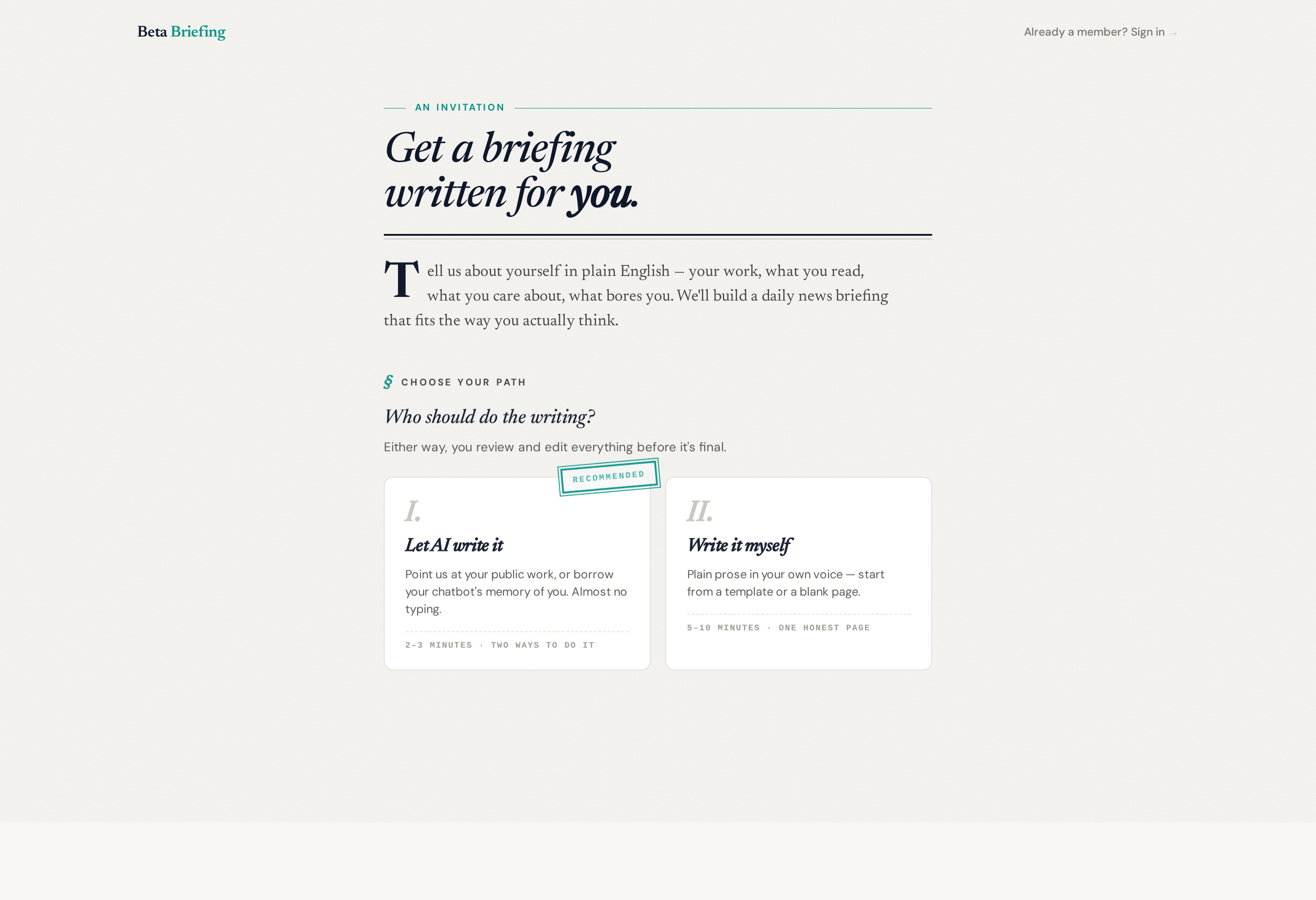
Ways to start
Sign-up opens with two doors — Let AI write it and Write it myself. "Let AI write it" then offers two ways to do it, so there are three ways to get going in all. Pick whichever takes the least effort; they all end in the same place — a briefing shaped around your interests.
Share your public work
Under "Let AI write it." The fastest option, with almost no typing. Drop in links to your public presence — your X profile, GitHub, LinkedIn, or a personal site — and the research engine reads them to learn what you work on and care about.
What happens next:
- You enter your handles and your email.
- We email you a verification link.
- You click through and press Start to kick off the research (the link only begins the work when you press the button, so a mail scanner can't trigger it by accident).
- A live progress page streams a running play-by-play as the research agent works — reading your public work, searching the news, and choosing your topics.
- When it's ready, you get a link to review, fine-tune, and finalize your briefing. Adjust the focus first, then ask for a one-off audio sample built from your settings as they stand at that moment — it can take up to 15–30 minutes and we'll email you when it's ready, and later edits won't change it.
When the research builds a confident picture, you review and finalize on the spot. If there isn't enough public material to go on, we'll fall back to asking you to describe your interests instead (the same as the options below). Either way, you finish by picking a plan — see After you sign up for when your first issue lands.
Paste from a chatbot
Under "Let AI write it." If you'd rather not write a description from scratch, copy the prompt we give you into ChatGPT, Claude, or Gemini, let it describe your interests, and paste the answer back into the form. We turn that into your briefing's focus.
Write it yourself
The second door. Prefer to just say it in your own words? Choose Write it myself and describe what you want your briefing to cover — the topics, the angle, what to skip. A short paragraph is plenty (aim for at least a sentence or two of real detail).
After you sign up
For the chatbot and write-it-yourself paths, you'll get a verification email; click the link and we build your briefing while a short loading screen runs.
Picking a plan is what starts delivery — where it happens depends on the path you took. On the chatbot and write-it-yourself paths the plan buttons are part of the sign-up form itself; if you shared your public work, it's the last step, when you finalize. On Standard or Premium your trial starts as soon as your briefing is ready, and your first issue arrives on the next scheduled run, whether or not you added a card. Premium + Ultra is billed from day one, so it's the one plan that waits: your briefing is built and sitting in your dashboard, but delivery starts once the payment goes through. If you close the payment page, come back to Billing in your dashboard menu to finish.
Your briefing is private by default — email, dashboard, and your own private podcast and RSS feeds — so there's nothing to configure. Publishing it as a public channel page is an optional extra; ask the team if you'd like one.
Once you're in, you can refine everything on your dashboard — including reshaping your briefing in plain language with Smart Edit (see Your settings).
Logging back in
There's no password to remember. Go to the dashboard, enter your email, and we send a one-time magic link. Clicking it signs you in. Links are single-use and expire, so request a fresh one any time you need it.
Next
- Your email briefing — what arrives in your inbox, and what you can do with it.
- Your settings — set your delivery schedule, audio voice, and more.
- Using your briefing — get around the dashboard.