Your settings
Everything about how your briefing is delivered lives on your dashboard, under Settings (app.betabriefing.ai/settings). Each section saves on its own, so you can change one thing without touching the rest.
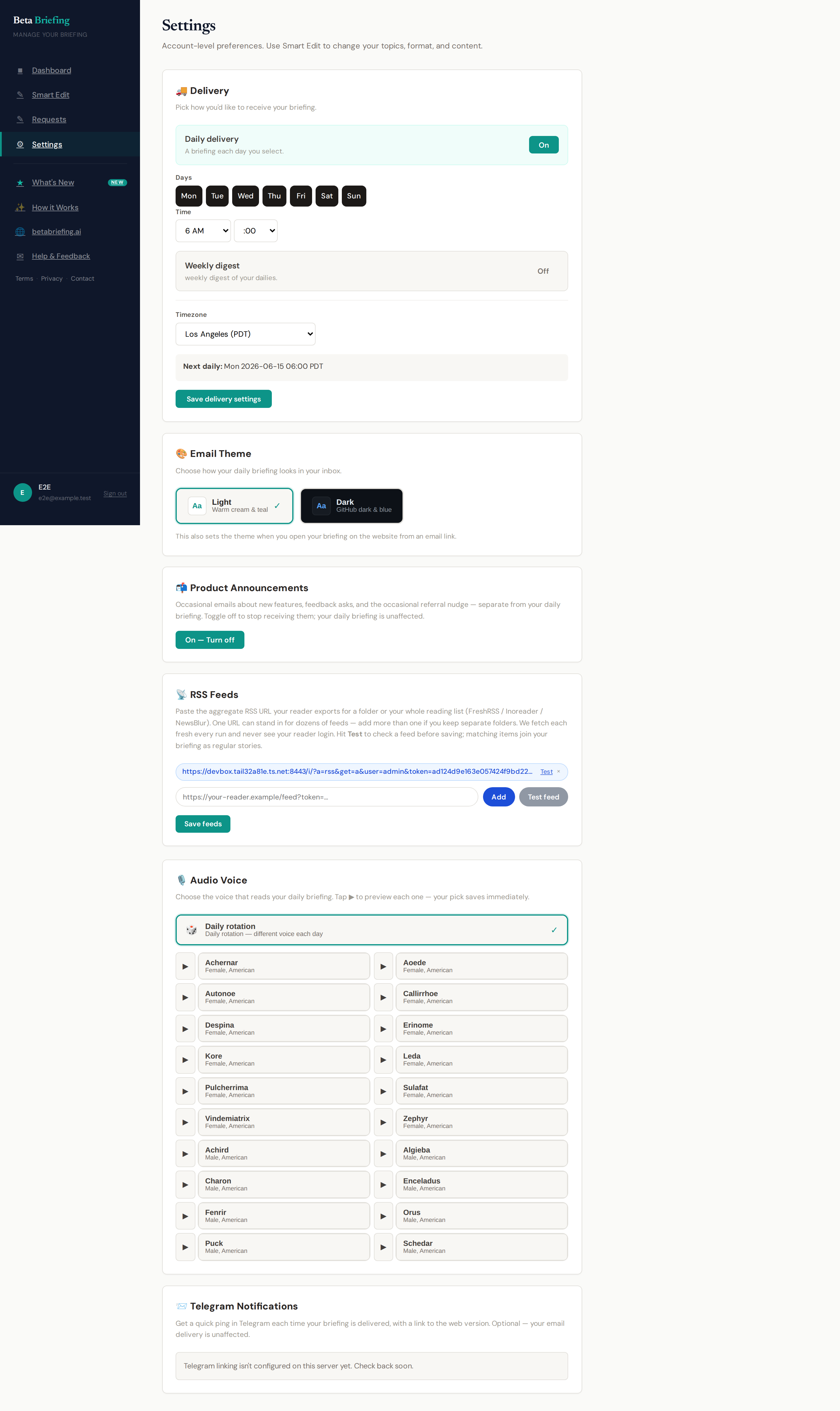
Delivery
Choose when your briefing arrives. There are two independent switches:
- Daily — a briefing on each day you pick — all seven, weekdays only, or any other combination.
- Weekly — a once-a-week edition.
You can run either, both, or neither:
| Daily | Weekly | What you get |
|---|---|---|
| On | Off | A briefing on each day you select |
| Off | On | One weekly edition |
| On | On | Daily briefings plus a weekly digest |
| Off | Off | Paused — nothing is sent |
You also set the day of week, time, and timezone for delivery. The time you pick is the time you see — your briefing is timed to land by then.
Email theme
Switch your email between light and dark so the briefing matches how you like to read.
Audio voice
Every briefing is narrated. Pick the voice used for your audio — or let it rotate through different voices each day.
Telegram notifications
Want a ping in Telegram when a new briefing is ready? In Settings, generate a one-time link and open it in Telegram to connect your account. Once linked, notifications turn on for all of your briefings; you can disconnect at any time. (If the section says Telegram linking isn't configured yet, it isn't available on your instance — check back soon.)
RSS feeds
You can point Beta Briefing at your own RSS feeds — up to ten — for example aggregate feeds exported from a reader like FreshRSS, Inoreader, or NewsBlur (handy if you keep separate folders). We treat them as an extra research source alongside our own web search. It's entirely optional, and leaving it blank changes nothing.
Announcements
You're subscribed to occasional product announcement emails by default; opt out here or from any announcement. Separate from your daily briefing.
Changing depth or focus (Smart Edit)
Open Smart Edit (app.betabriefing.ai/smart-edit). You can pick a depth directly there — Speed, Standard or Deep, with Ultra Deep on Premium + Ultra — or just say what you want in plain language: "go deeper," "make it shorter," "add a section on X," "stop covering Y." If you describe it in words instead, Smart Edit picks the depth that fits.
For topic-by-topic control, see Using your briefing → Topics and preferences.
Next
- Using your briefing — the dashboard and day-to-day reading.
- Audio & podcasts — subscribing in a podcast app.